User Guide · Part 3: Bob's Taper
Bob's Taper: His Schedule, First Prescription and a Pause
Bob's Taper: part 2 of 3
5. Reading Bob's Schedule
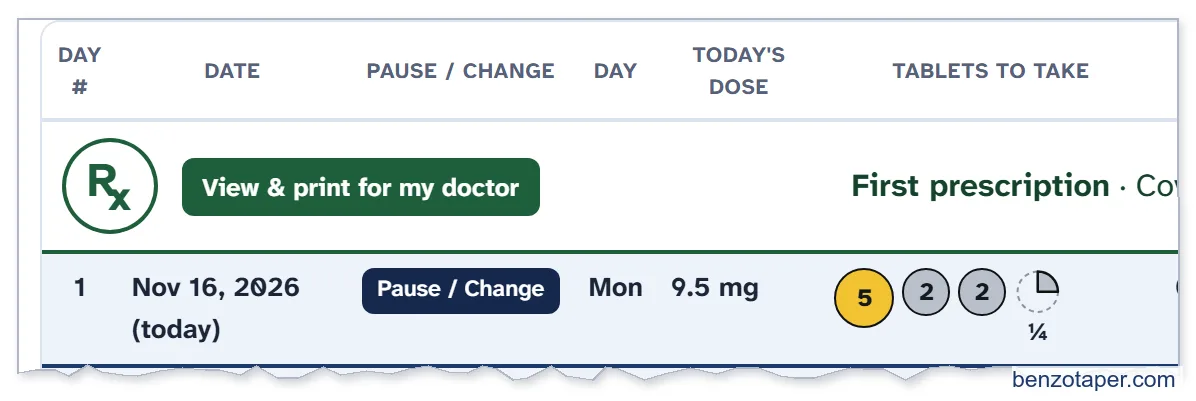
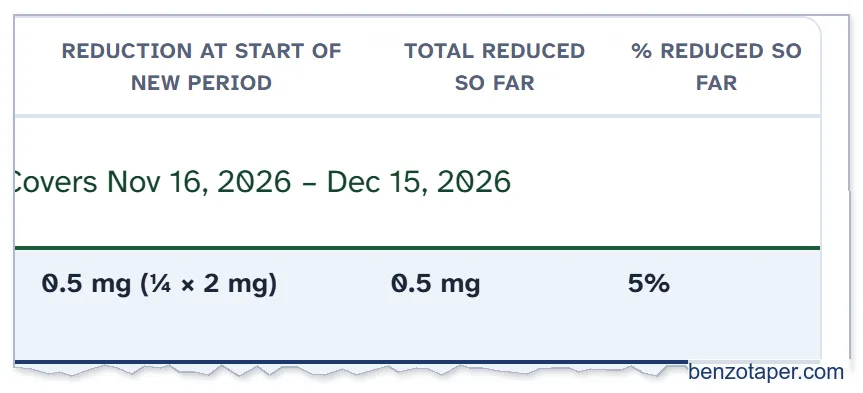

YOUR PROGRESS now shows his stable dose (10 mg), today's dose (9.5 mg), how much he has reduced, and his estimated finish date: Apr 26, 2027.
| Column | What it means |
|---|---|
| Day # and Date | The day of your taper, and the calendar date. |
| Pause / Change | The button to pause or change your taper (on today's row). |
| Today's dose | Your total Diazepam for that day. |
| Tablets to take | Which tablets and pieces make up that dose. |
| Reduction at start of new period | How much your dose went down that day. (no extra reduction) means you stay on the same lower dose as the day before. |
| Total reduced so far / % reduced so far | How far you have come. |
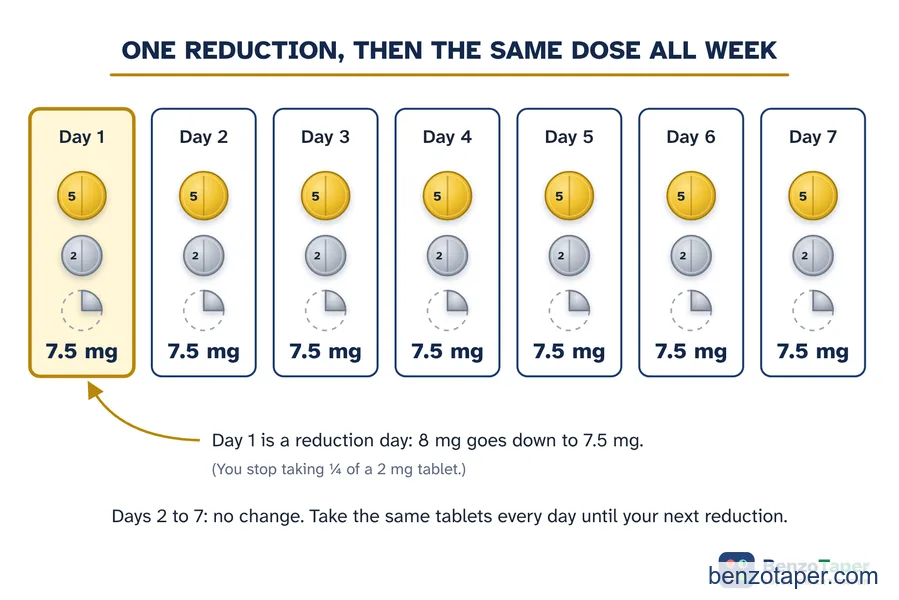
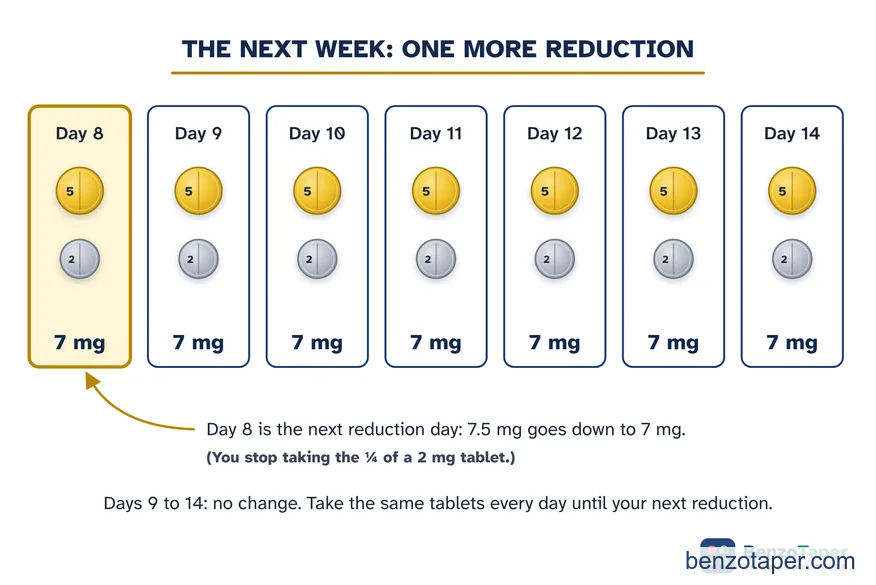
Click Jump to today to find today's row, and See your chart to see your whole taper as a picture.
6. Bob's First Prescription
The first row of Bob's schedule is his first prescription, for Nov 16 to Dec 15. He clicks View & print for my doctor.
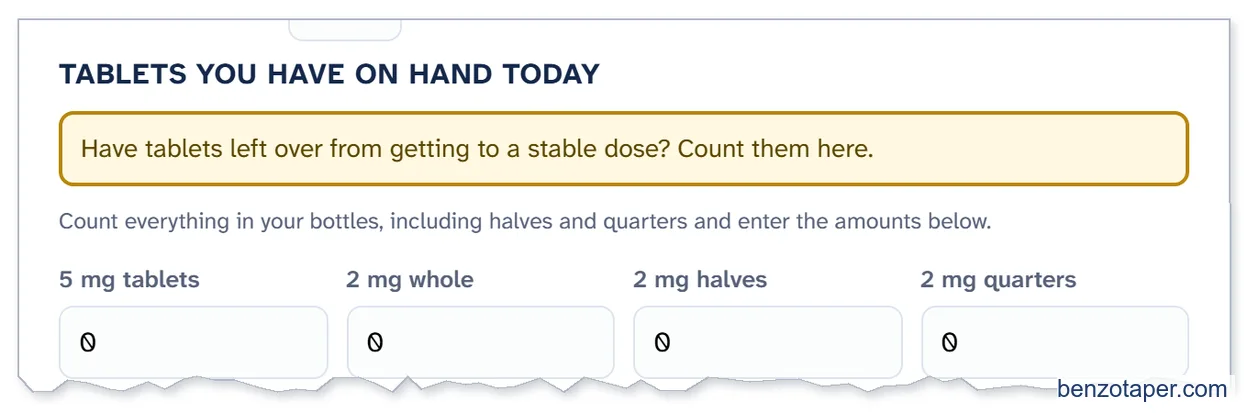
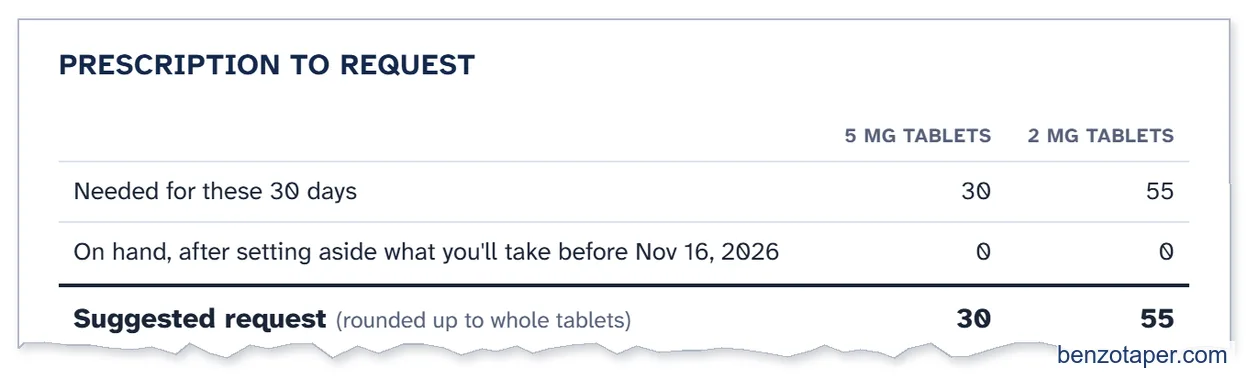
Bob used all his Diazepam while getting to a stable dose, so he has nothing left over, and he leaves TABLETS YOU HAVE ON HAND TODAY at 0. If you do have tablets left over, count them here, as the gold note says. The sheet subtracts them from your request.
He asks for 30 × 5 mg and 55 × 2 mg of Diazepam.
7. Bob Pauses
December 21. Bob has had trouble sleeping for a few nights. He calls his doctor. They agree he should pause and stay on his current dose until he feels better.


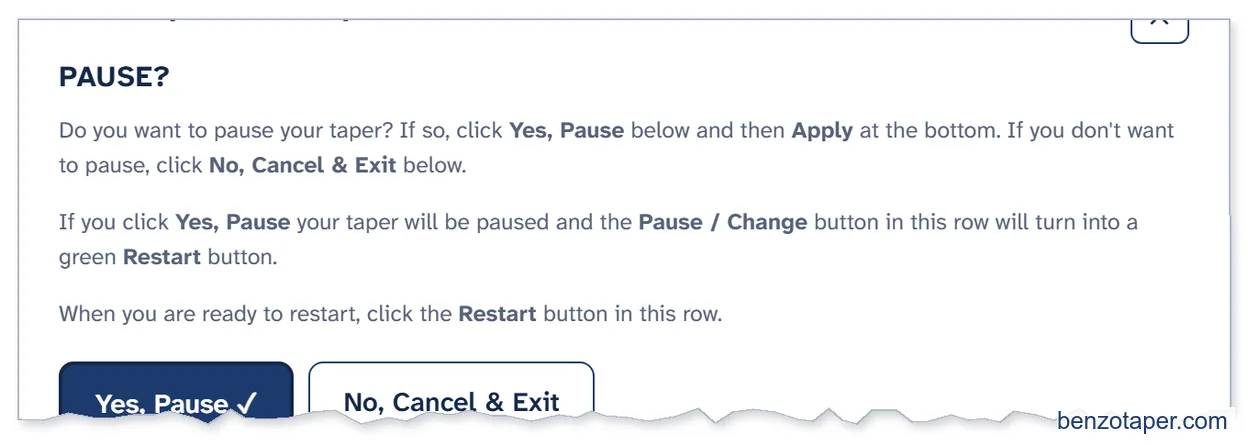
- On today's row, Bob clicks Pause / Change.
- In the PAUSE / RESTART / CHANGE TAPER window, he clicks Yes, Pause, then Apply.
- The button turns into a green Restart button – see the picture below. He keeps taking 7 mg, the dose he paused on. The day shows (no extra reduction).
- He stays at this dose until he feels comfortable and wants to restart. There is no hurry.
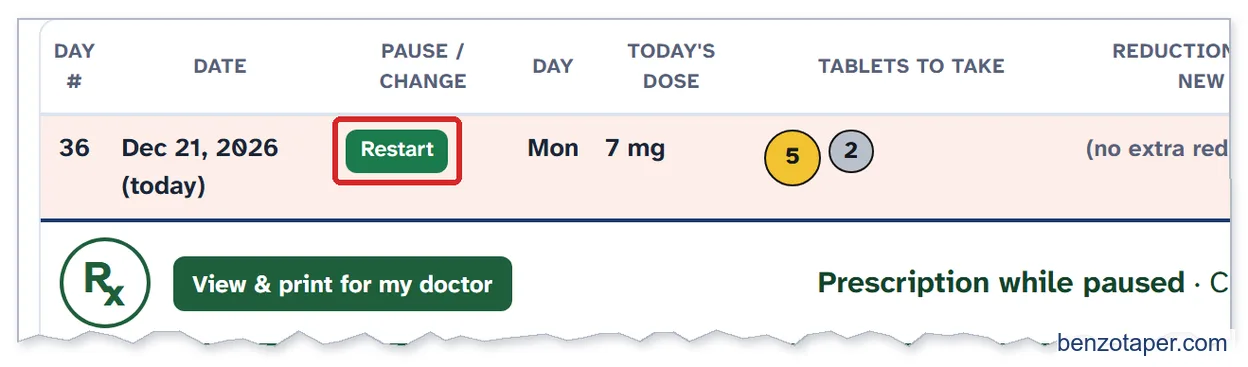

YOUR PROGRESS shows that he is paused, and when his taper would end if he restarted today.
All chapters of the User Guide
Use it for your own taper
BenzoTaper 80/20 Smart-Taper is the taper schedule that updates itself. Pause, change your pace or restart on any day, and every date, dose, tablet and prescription request updates in one click.