User Guide · Part 3: Bob's Taper
Bob's Taper: Restarting, the Last 20% and Later Prescriptions
Bob's Taper: part 3 of 3
8. Bob Restarts
January 4. After two weeks, Bob is sleeping well again. He opens his file and clicks the green Restart button.
Bob has two choices. Both take one click of Apply, and the sheet automatically calculates and rebuilds his whole plan from today.
Choice A: Carry On at the Same Pace
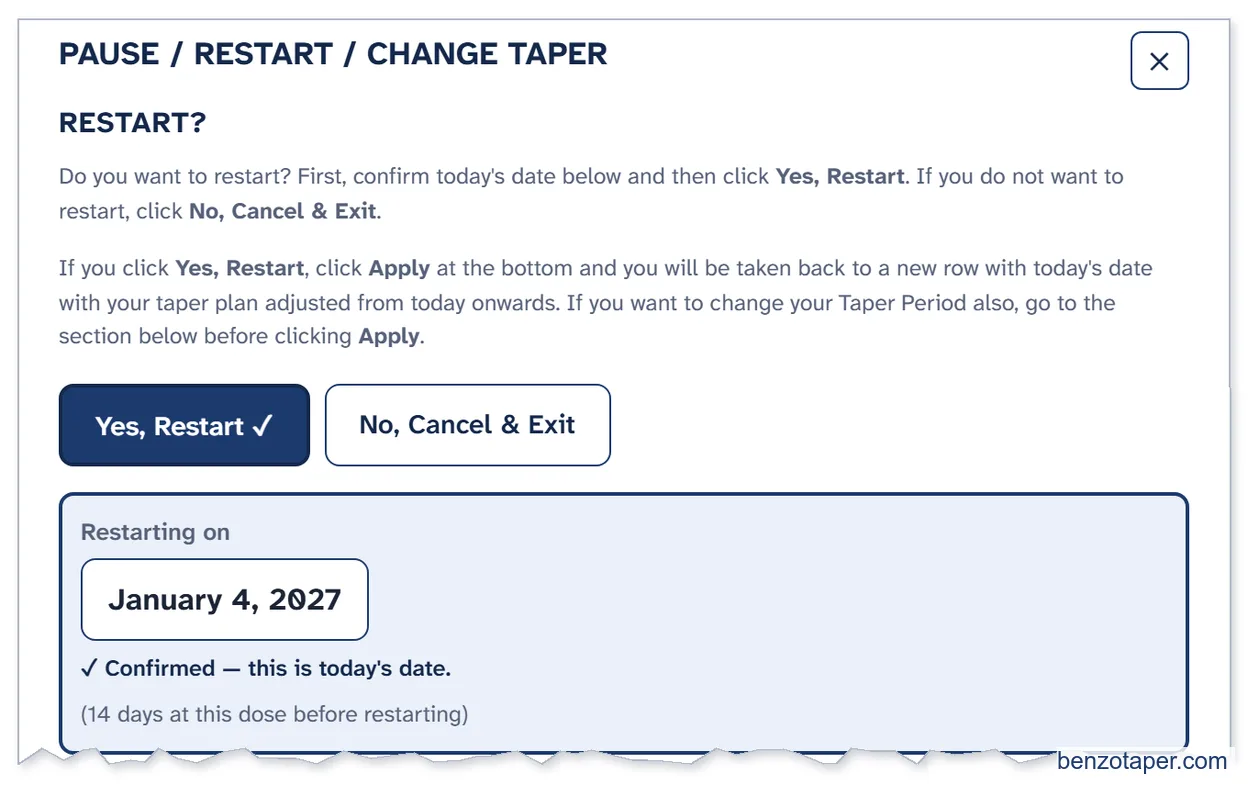
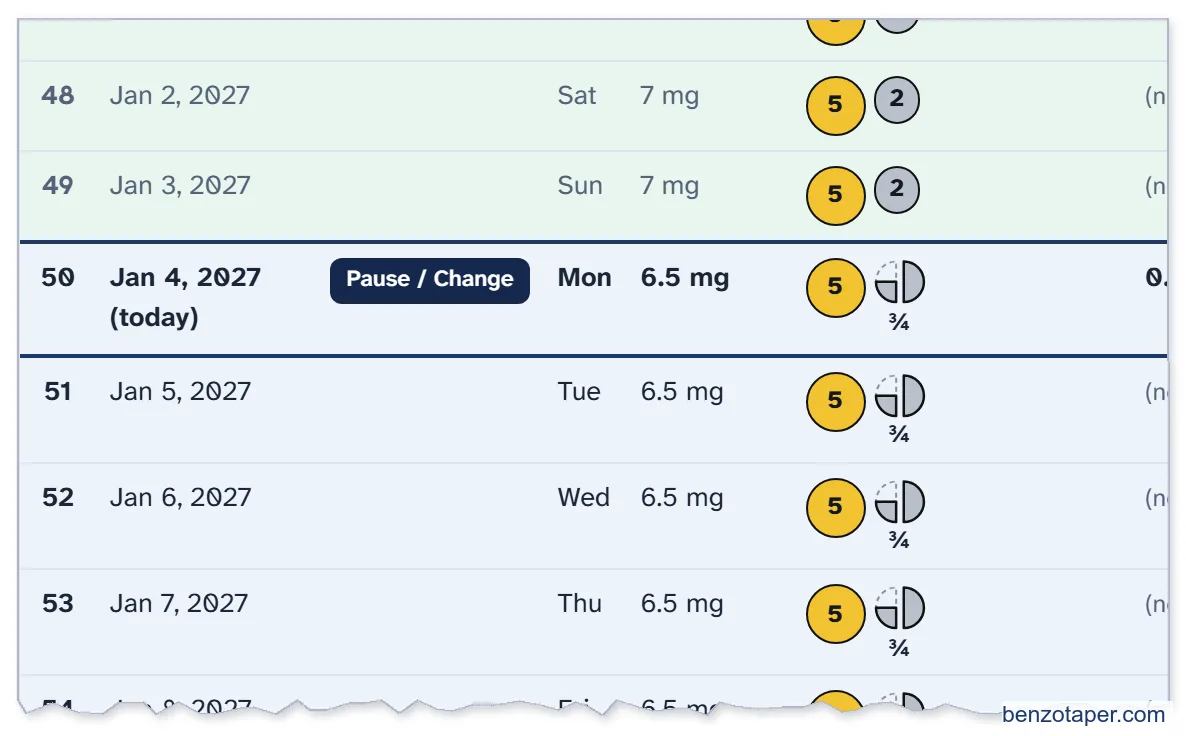
- Bob checks today's date, clicks Yes, Restart, then Apply.
- His next reduction (7 mg to 6.5 mg) happens today. Then he carries on every 7 days.
- His finish date moves from Apr 26 to May 3, 2027. His next reduction was due on Dec 28. It now happens on Jan 4, one week later, so his finish date moves by one week.

Choice B: Restart and Slow Down
Bob and his doctor decide to give each step a little more time.
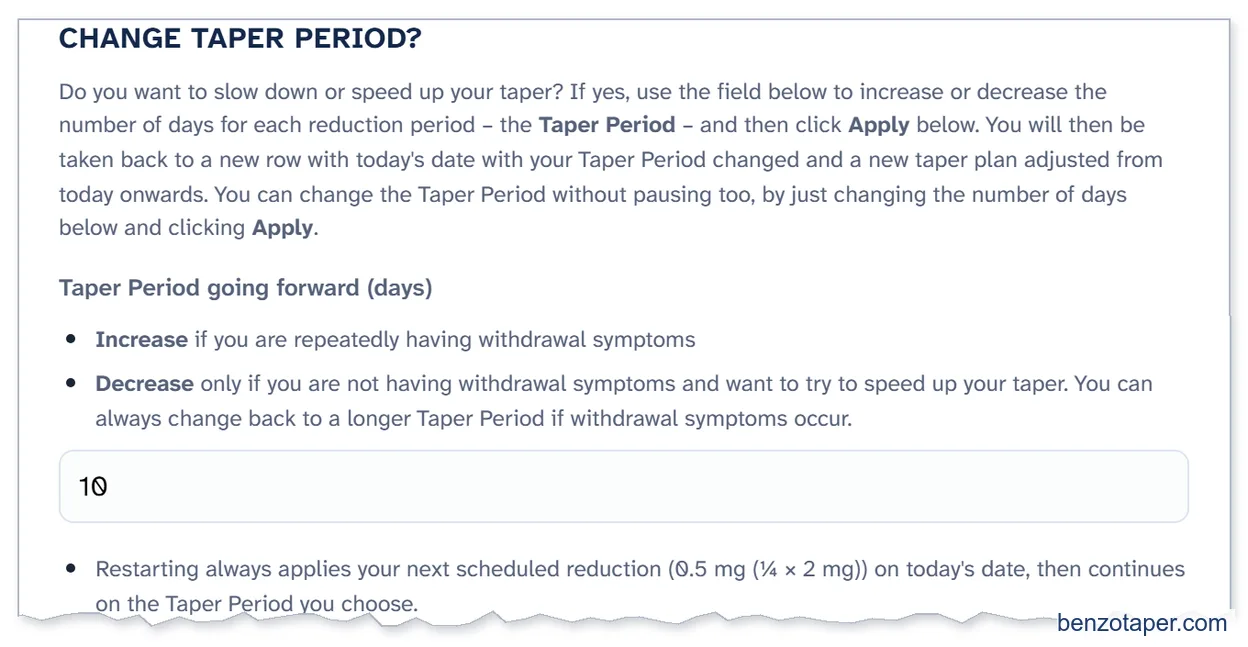
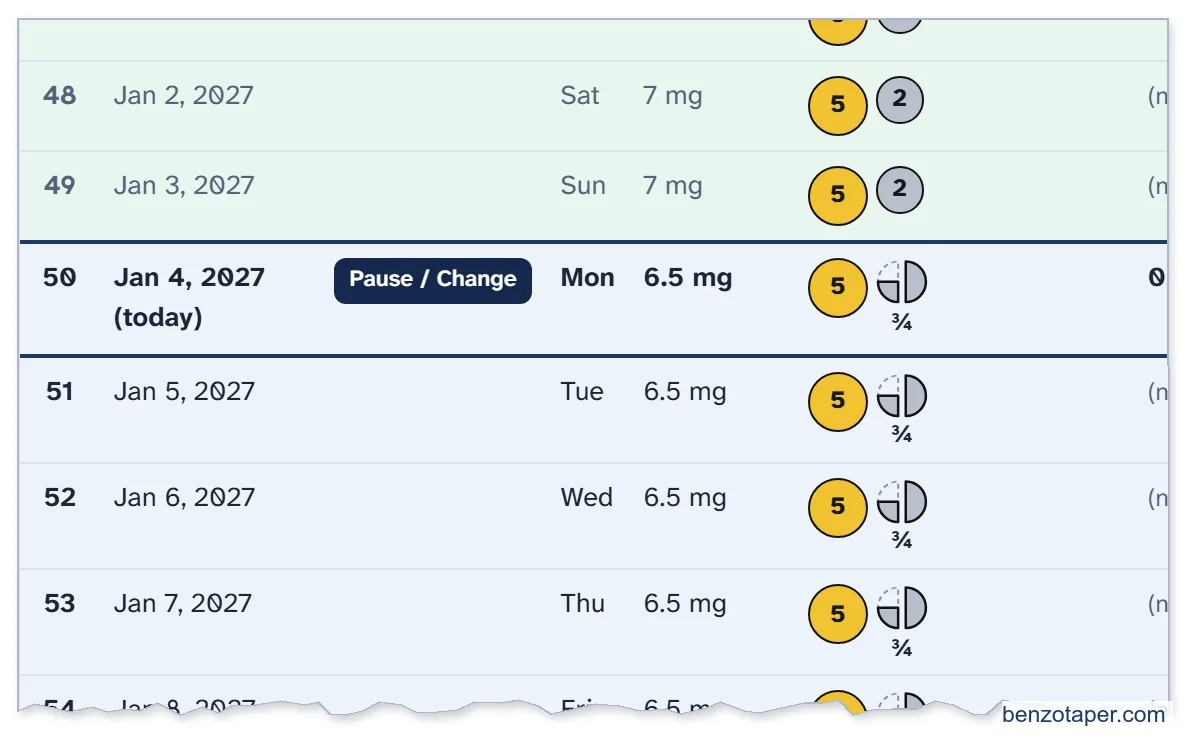
- Before clicking Apply, Bob also changes Taper Period going forward (days) from 7 to 10.
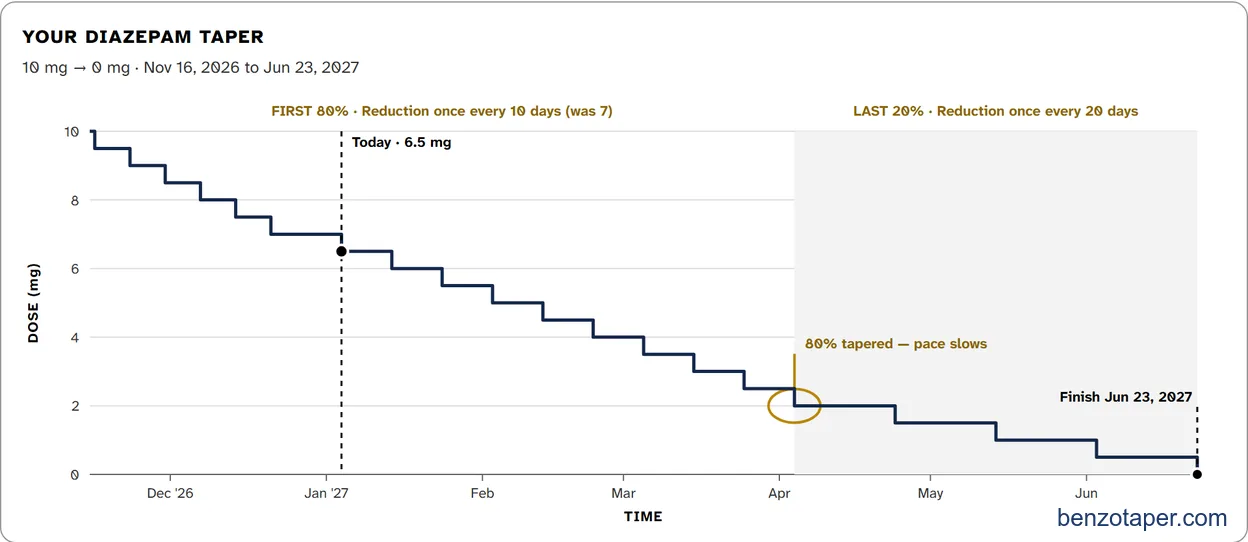
- His reductions now come every 10 days. His finish date is June 23, 2027.
- The sheet will automatically calculate all the changes including the correct slower reduction for the last 20% of his taper.
- You can change the Taper Period any time, with or without pausing: a bigger number is slower, a smaller number is faster.

9. The Last 20% of Bob's Taper
Bob chose the 80/20 Smart-Taper, so his steps slow down near the end.
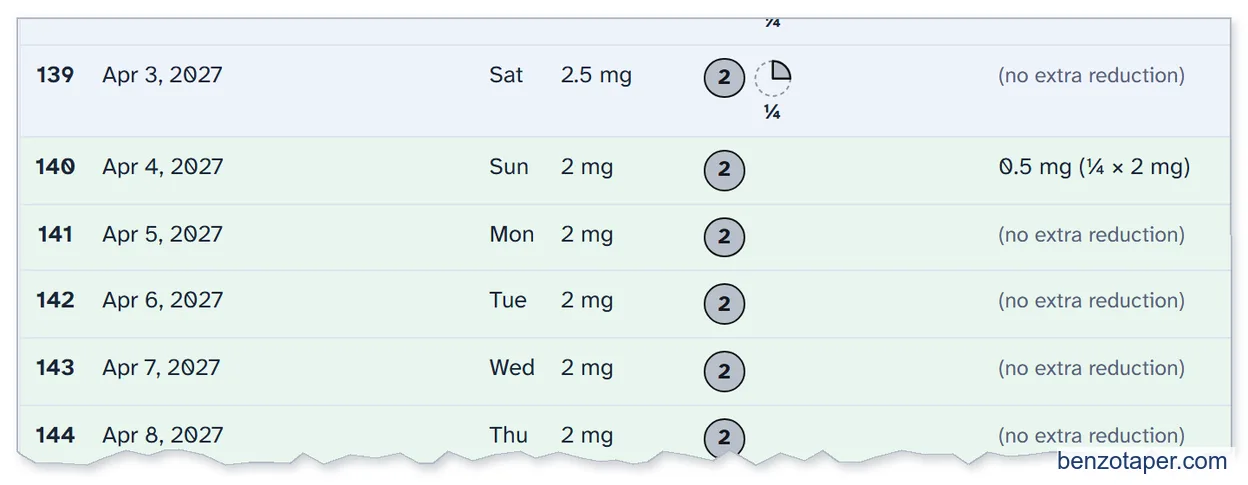
- 20% of his stable dose is 2 mg (20% of 10 mg). So, the last 20% starts at 2 mg, on April 4, 2027. Here is that day in his schedule:
- From then on, each Taper Period is 20 days instead of 10. The sheet automatically calculates this for him regardless of how many changes he might make, such as pausing. His next reduction comes 20 days later, on April 24:

10. Bob's Next Prescriptions
Before each new prescription period, a Prescription reminder row appears in the schedule. Bob clicks View & print for my doctor on that row.
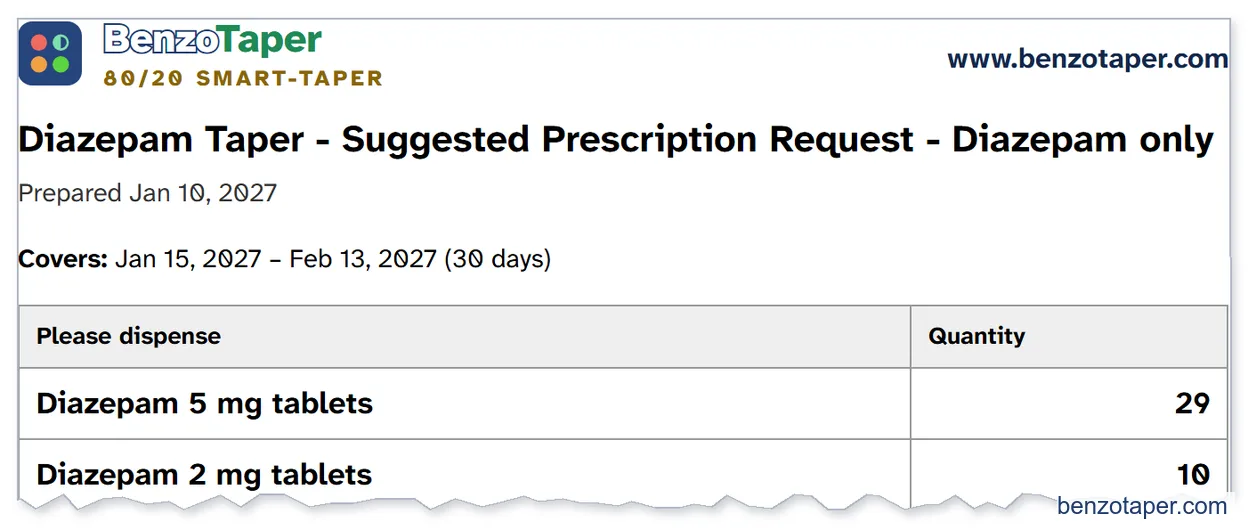
His second prescription (Dec 16 to Jan 14) worked the same way, so this one covers Jan 15 to Feb 13. The SUGGESTED PRESCRIPTION - DIAZEPAM ONLY window opens:
He checks the Prescription length (1 to 90 days). A change applies to this prescription and the later ones.

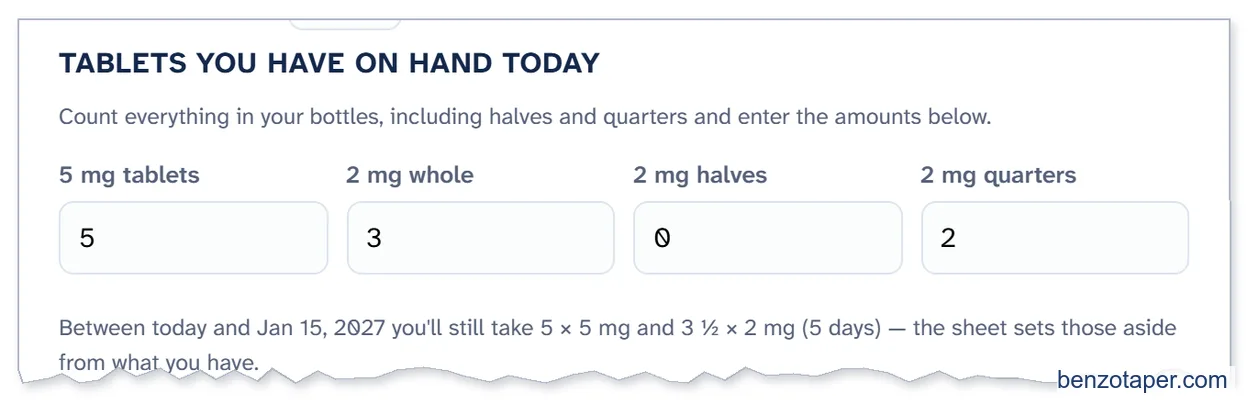
- He counts the tablets he has on hand, including halves and quarters, and enters them under TABLETS YOU HAVE ON HAND TODAY.
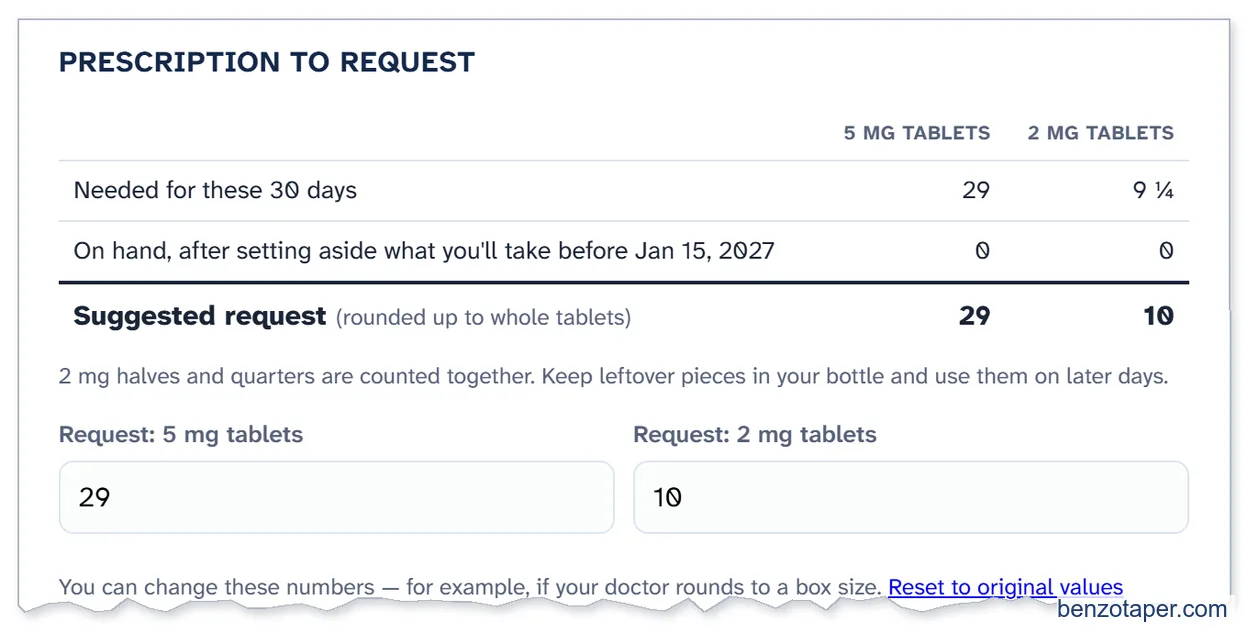
- The sheet works out what to request. For Jan 15 to Feb 13: 29 × 5 mg and 10 × 2 mg. He can change these numbers, for example if his doctor rounds to a box size. Reset to original values undoes his changes.
- He clicks Print for my doctor, or Save & close. This is the page he prints:
11. Bob's Sheet on His Phone
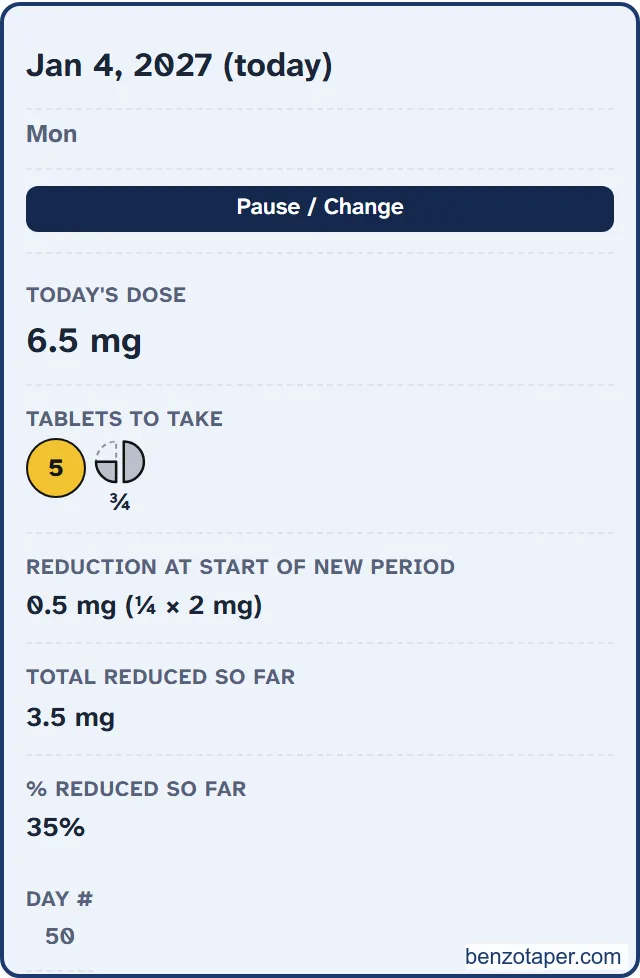
On a phone, each day is a card instead of a table row. Everything else works the same way.
Bob keeps his saved file in his cloud folder, so he can check today's tablets on his phone.
All chapters of the User Guide
Use it for your own taper
BenzoTaper 80/20 Smart-Taper is the taper schedule that updates itself. Pause, change your pace or restart on any day, and every date, dose, tablet and prescription request updates in one click.