User Guide · Part 3: Bob's Taper
Bob's Taper: Getting Started
Bob's Taper: part 1 of 3
The easiest way to learn the sheet is to watch someone use it. Meet Bob.

Bob takes 0.5 mg of Alprazolam a day.
He has taken it for a long time. He wants to stop, and his doctor agrees to help.
They agree to fully switch to Diazepam because its long half-life makes each step smoother.
Here is how Bob uses the sheet, as an example. He takes Diazepam at one daily dose for about 7 to 14 days, as his doctor directs, until he is on a stable dose and feels settled. Then he starts his taper on Nov 16.
Bob's story shows every part of the sheet:
- Getting a Diazepam estimate, a sample taper and a sample prescription
- Getting to a stable dose, then setting up his real taper
- Reading his schedule
- Pausing, restarting, and slowing down
- The slower last 20%, and his later prescriptions
1. Bob Gets an Estimate and Looks at a Sample Taper
November 2. Before his appointment, Bob opens the BenzoTaper 80/20 Smart-Taper sheet. He uses Section 2: OR... I AM CURRENTLY TAKING ANOTHER MEDICATION.
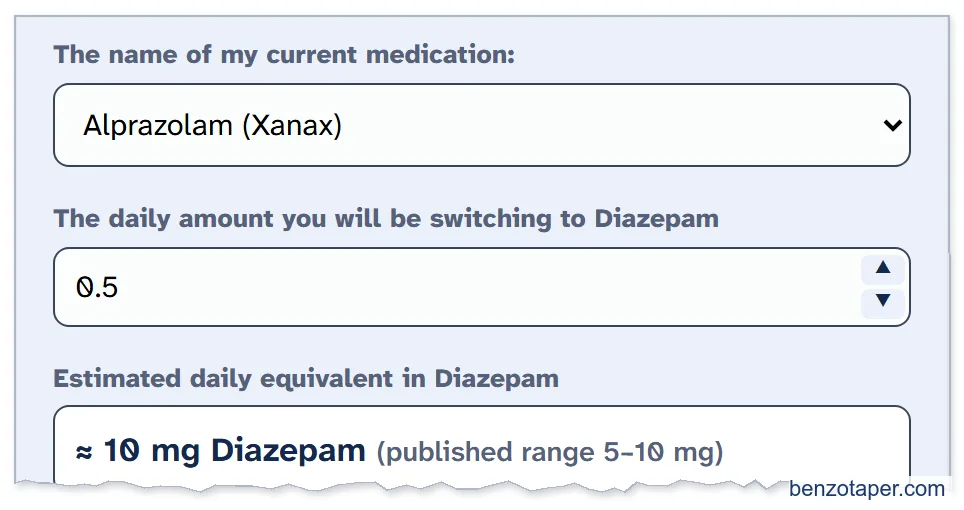
- He picks Alprazolam (Xanax) in The name of my current medication.
- He enters 0.5 in The daily amount you will be switching to Diazepam. (Switching only part of your dose? Enter only that part. See Mary's story in Part 4.)
- The sheet shows the Estimated daily equivalent in Diazepam: about 10 mg.
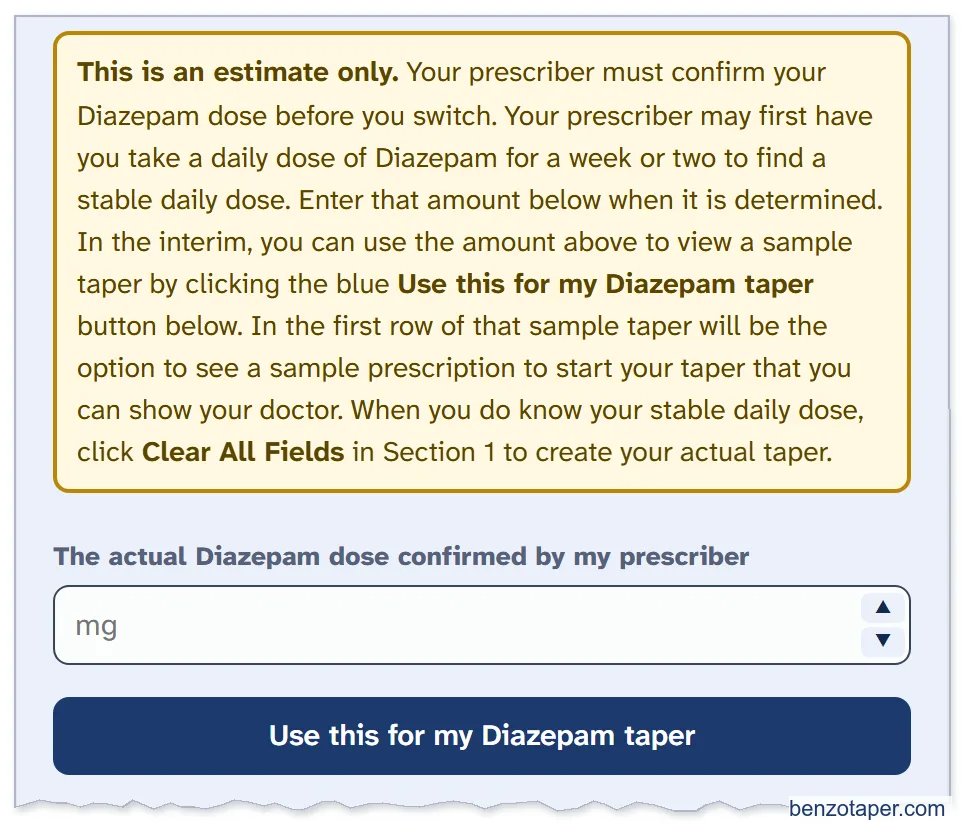
Bob's doctor hasn't confirmed a dose yet, so he leaves The actual Diazepam dose confirmed by my prescriber empty. He clicks Use this for my Diazepam taper, and the sheet puts the estimate (10 mg) into Section 1.
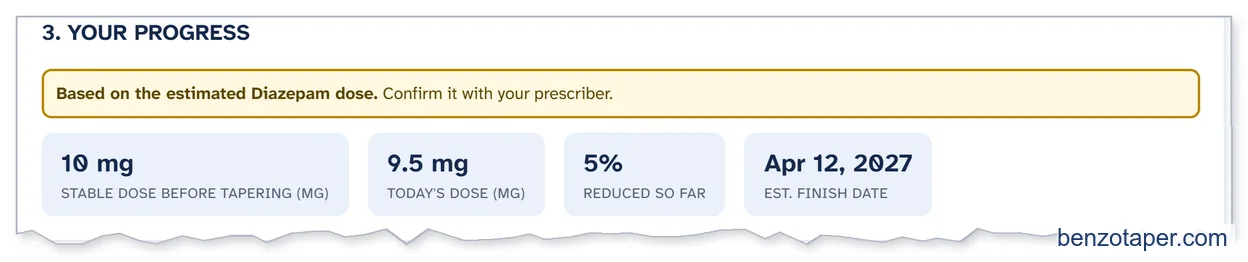
Then he clicks Generate my schedule to see a sample taper. YOUR PROGRESS shows a gold note: this taper is based on the estimate.
2. Bob's Sample Prescription for His Doctor
The first row of the sample schedule is a prescription. Bob clicks View & print for my doctor on that row.
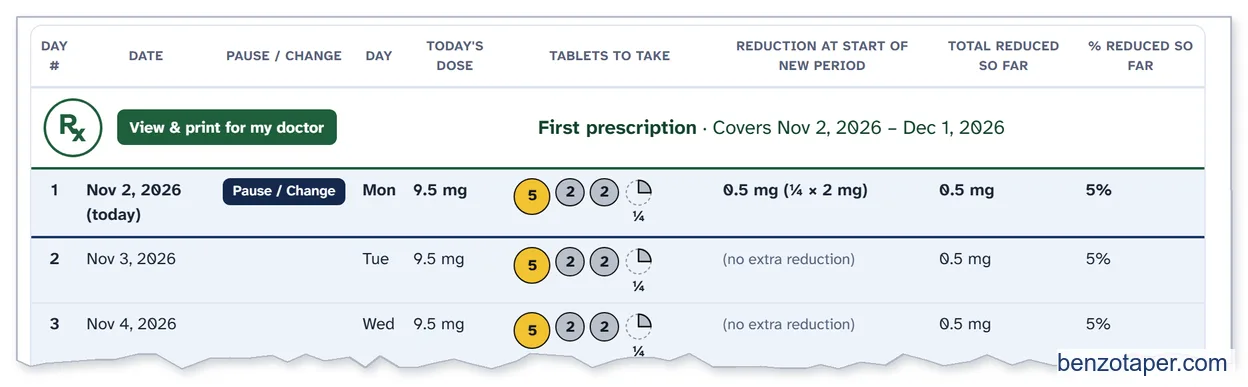
The SUGGESTED PRESCRIPTION - DIAZEPAM ONLY window opens. A gold note says it uses the estimated dose.
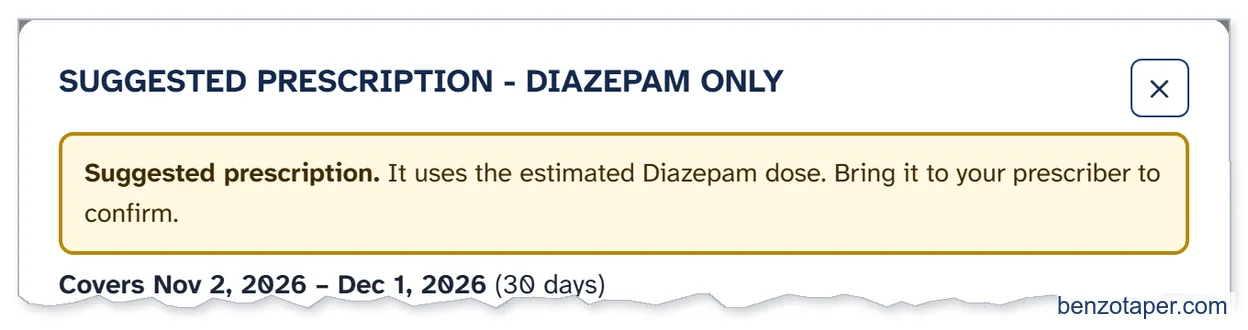

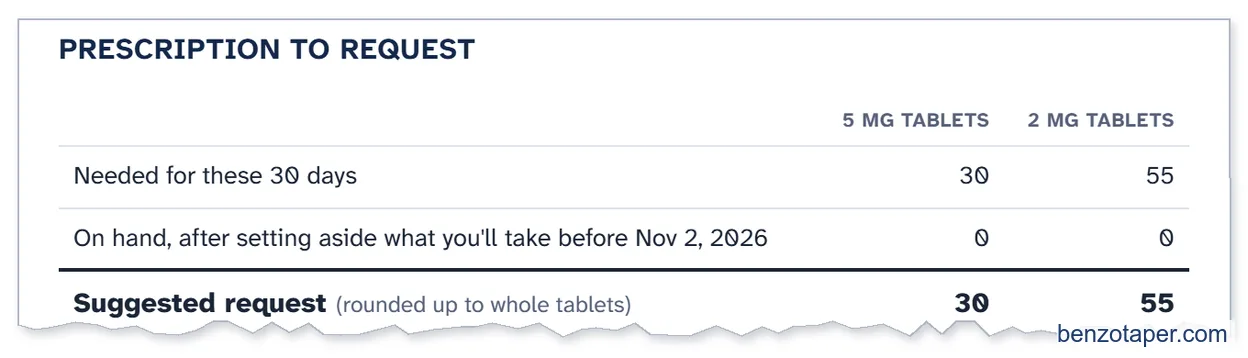
It works out the tablets for the first 30 days of the sample taper: 30 × 5 mg and 55 × 2 mg.
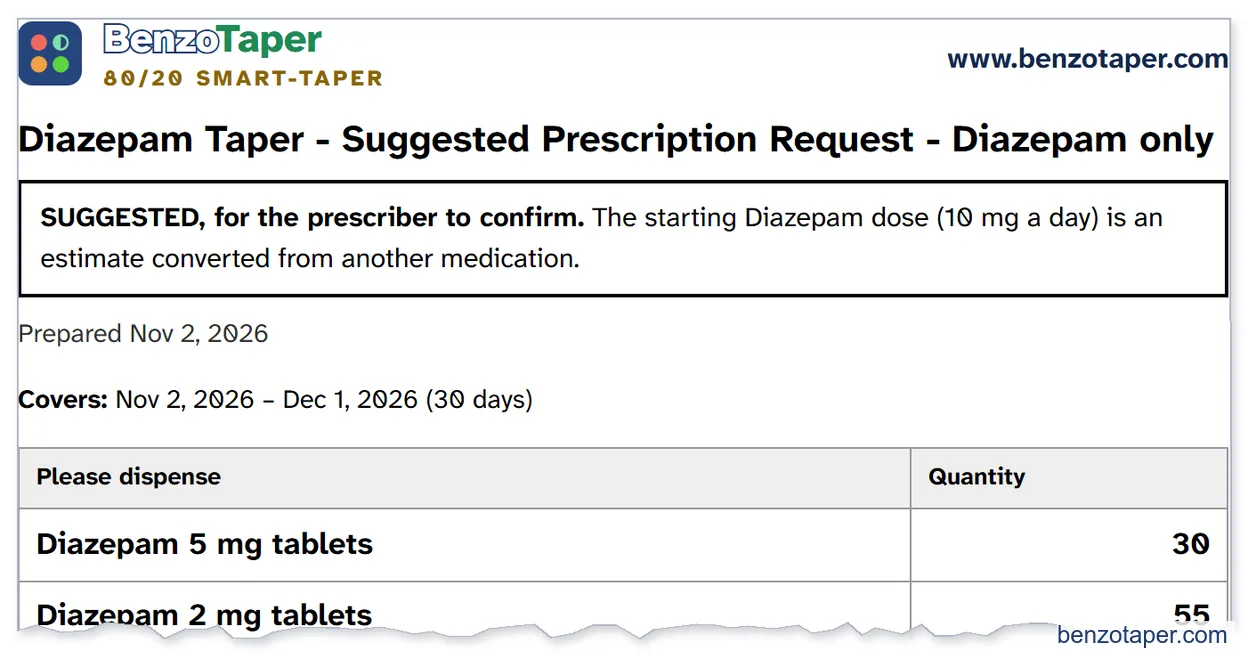
He clicks Print for my doctor. The printout is marked SUGGESTED, for the prescriber to confirm. This is the page he takes to his appointment:
His doctor confirms 10 mg of Diazepam a day, and prescribes it for the days Bob needs to get to a stable dose. How and when Bob gets his prescriptions is between Bob and his doctor.
3. Bob Gets to a Stable Dose of Diazepam
Bob doesn't use his schedule while he gets to a stable dose. That part is between Bob and his doctor. For Bob it takes about 7 to 14 days on 10 mg a day. For other people it can be shorter or longer, and the dose may go up or down.
| What the sheet does | What your prescriber decides |
|---|---|
| Gives an estimate, a sample taper and a sample prescription to talk about with your doctor. | Your starting dose, how you adjust it, and how long it takes to get to a stable dose. |
| Starts your real schedule when your dose is stable, on the day you choose. | When your dose is stable and you are ready to start your taper. |
4. Bob Sets Up His Taper – He Has a Stable Diazepam Dose
November 16. Bob is on a stable dose of 10 mg, and he feels settled. He now takes Diazepam, so he uses Section 1 directly.
First he clicks Clear All Fields. This clears his sample taper, so nothing from it carries over.

- In My current daily Diazepam dose in mg is..., he enters 10, his stable dose.
- In I want to start my taper on..., he keeps today's date, Nov 16.
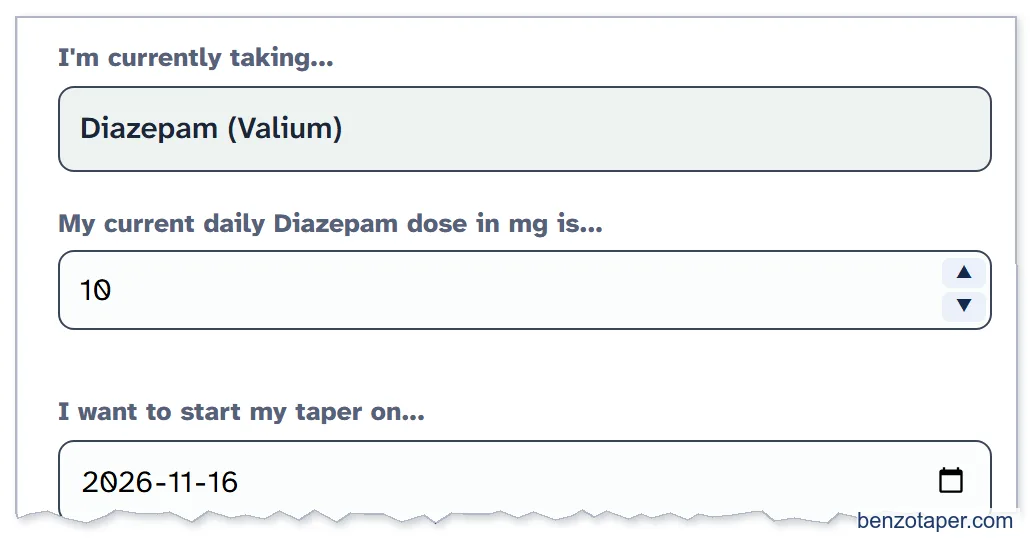
- He picks his Taper Rate (80/20 Smart-Taper), his Taper Period (7 days in this example, but it can be longer, such as 10 days) and the amount to reduce (0.5 mg, Low Starting Dose).
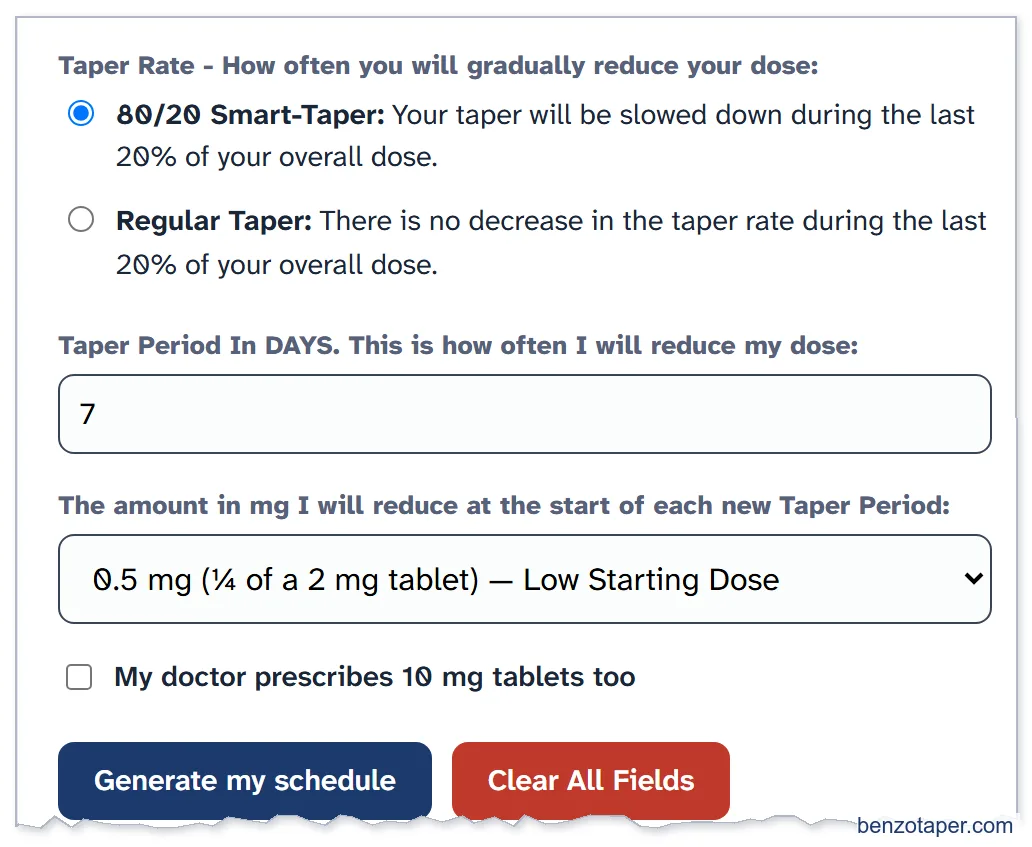
Then he clicks Generate my schedule, and Save my progress. His schedule starts on Nov 16, Day 1: his first reduction, from 10 mg to 9.5 mg.
| Box in Section 1 | What it means |
|---|---|
| My current daily Diazepam dose in mg is... | Your stable Diazepam dose for one day. Use the ▲ ▼ arrows or type it. |
| I want to start my taper on... | The date of your first reduction. |
| Taper Rate | 80/20 Smart-Taper or Regular Taper. |
| Taper Period (in days) | How many days between reductions. |
| The amount in mg I will reduce... | 0.5, 1, 1.5 or 2 mg (Low, Moderate, High or Very High Starting Dose) at the start of each Taper Period. |
| My doctor prescribes 10 mg tablets too | Tick this only if you have 10 mg tablets. |
All chapters of the User Guide
Use it for your own taper
BenzoTaper 80/20 Smart-Taper is the taper schedule that updates itself. Pause, change your pace or restart on any day, and every date, dose, tablet and prescription request updates in one click.